ZGHEX / HELP
Make the view your own
Adjust offsets, grouping, text encoding, fonts and spacing.
Offsets and grouping
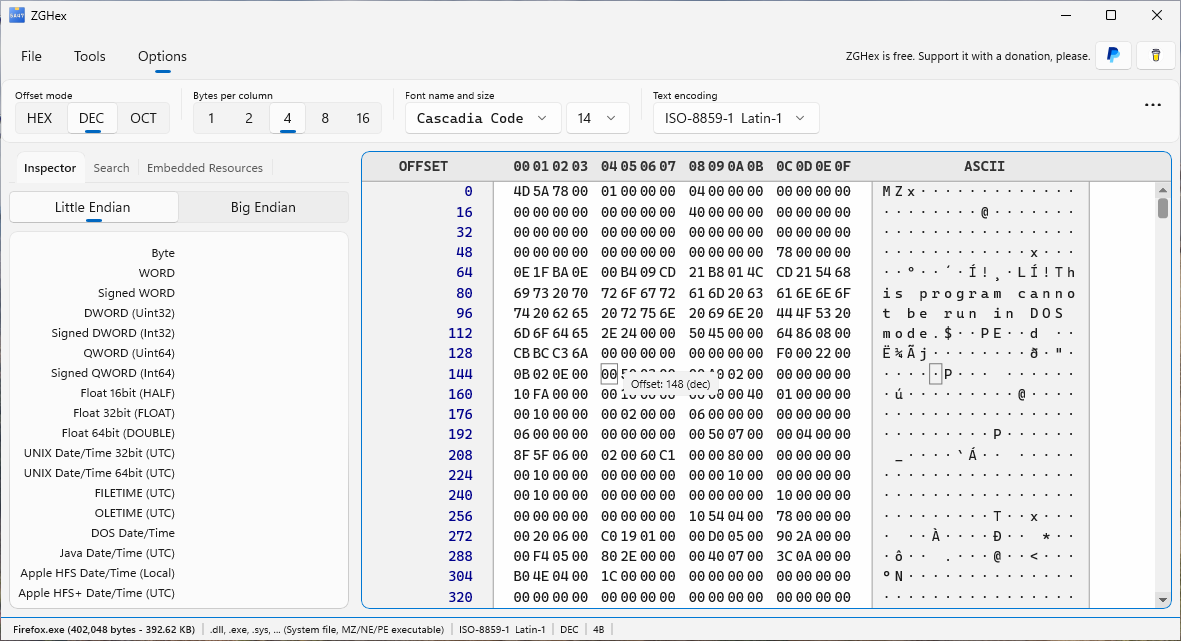
Open Options. Set Offset mode to HEX, DEC or OCT for hexadecimal, decimal or octal addresses. Set Bytes per column to 1, 2, 4, 8 or 16. These controls change the presentation of the data.
Text and readability
Choose a font and size and adjust row and byte spacing. Select Text encoding to change how byte values are represented as text. This encoding is also used for text searches and dumps.
If text looks garbled, try the encoding specified by the file format. Many binary files contain non-text sections that will remain unreadable as text with any encoding.
Restore defaults
Choose Restore default settings in Options to return the display controls to their defaults. Display preferences are saved and reapplied when you open another file.