ZGHEX / HELP
Read signatures and image metadata
Identify file formats and inspect EXIF, JFIF and file properties.
Identify a file
Open a file. ZGHex attempts to identify its format from known byte signatures and shows the detected information in the status area. Use File → Find file signature to select the relevant bytes when the command is available.
A file extension and a detected signature can differ. Treat the signature as evidence about the format, not a complete validation of the file.
Read image metadata
- Open a supported image containing EXIF or JFIF data.
- Go to Tools and choose EXIF or JFIF when enabled.
- Read the available name/value properties in the dialog.
EXIF can include camera, exposure, date and GPS fields when present. JFIF includes version, density and thumbnail dimensions. An image may contain only some fields or no supported metadata at all.
View file properties
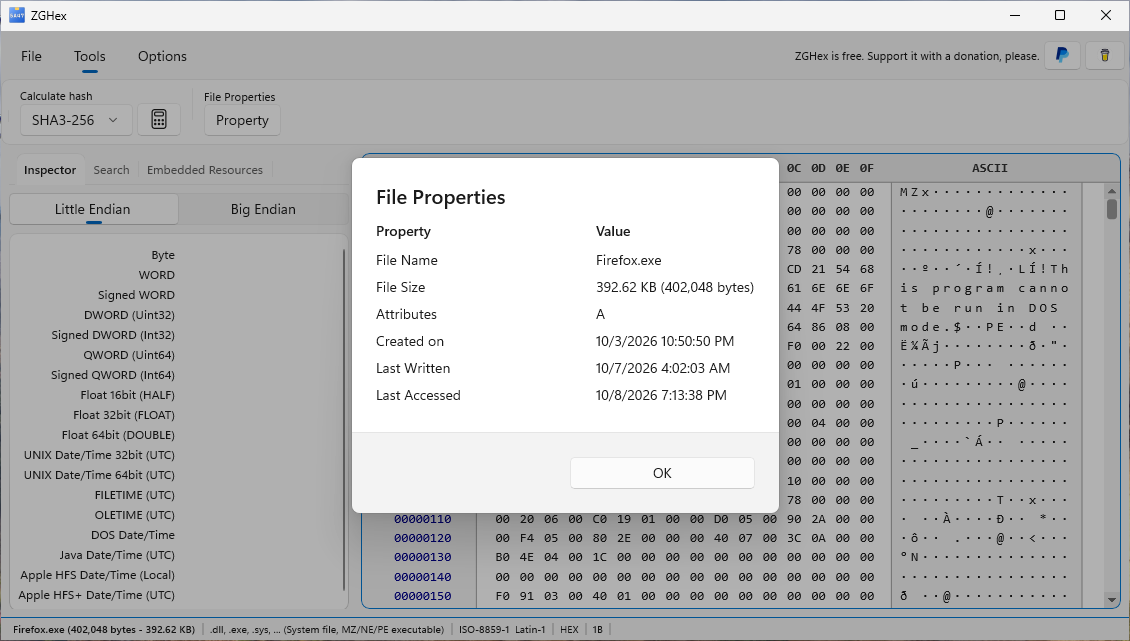
Use Tools → File properties to read file information and available image metadata. Disabled metadata buttons mean that the corresponding data has not been detected in the current file.